

Free creator
$0Eight templates, a blank canvas, all editing controls and every export. No account, payment, watermark or ad viewing required.
Create a free signatureGETTING STARTED / A BETTER SIGN-OFF
Create a signature that looks like your business. Choose a layout, make it yours, and add it to your email—with a free editor and no account needed to start.
See how different details work together. Explore signature examples ↗
A SMALL SPACE. YOUR OWN IDENTITY.
Start with what matters to your reader. Every part of this signature is an editable block.
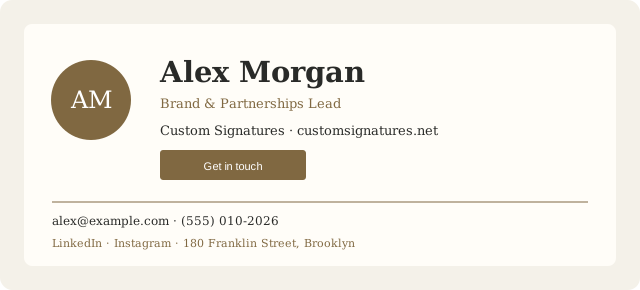
MAKE ROOM FOR YOUR STYLE Change colors, fonts, spacing and layout. Add a divider, address or disclaimer when you need one. Every editing control is included free.
YOUR FIRST SIGNATURE / START TO SEND
Stay in the free creator for the whole journey. An account is optional unless you want cloud saves or a premium purchase.
Pick one of eight free templates, or open a blank canvas. A template gives you a structure to edit, rather than locking you into a finished design.
Explore templatesReplace the sample details. Adjust colors, type and spacing, then add or rearrange rows and blocks. Keep the essentials readable, even when images are hidden.
Start with BlueprintYour draft saves in this browser. To return on another device, create a free account and explicitly save or import your signature to the cloud. You have three cloud-save slots.
About your accountOpen Export and choose Copy signature. Paste the formatted content into your email signature settings, choose your defaults, and send a new message and a reply to test it.
Follow the install guideCHOOSE WHAT YOU NEED
The editor is free. An account adds cloud saving. A premium purchase unlocks a particular design.
Eight templates, a blank canvas, all editing controls and every export. No account, payment, watermark or ad viewing required.
Create a free signatureThree cloud-saved signatures, access to saved work on another device, and purchase history. Save or import a local draft explicitly.
Create or open your accountone of the six premium designs, purchased once with lasting access to that design. No subscription. A purchase adds neither cloud-save capacity nor image hosting.
See pricing and purchase details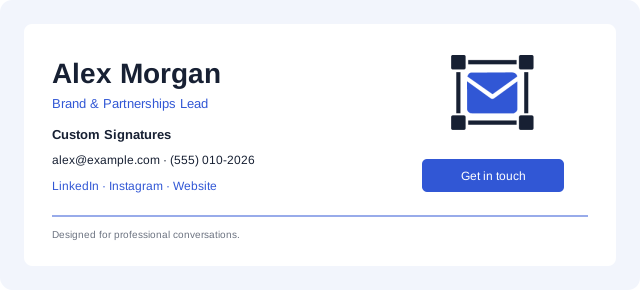

Pro subscriptions, brand kits, managed image hosting and team management are planned and are not included in the current service.
FROM EDITABLE WORK TO EVERYDAY USE
All formats are free. For your email, start with Copy signature.
Gmail, Outlook & Apple Mail guideBEFORE THE FIRST SEND
Need help with a particular detail? Get in touch ↗
No. Choose a free template or a blank canvas, edit it and use every export without signing up. An account is needed for cloud saves and premium purchases.
Your local draft stays in this browser and profile. It does not automatically sync to another device, and clearing site storage can remove it. Explicitly save to a free account for cloud access, or keep an HTML export as a reference file. An HTML export is not an editable project backup.
Yes. Use an image URL from a public HTTPS host you control for reliable delivery. Device uploads are embedded in your draft, not hosted publicly by Custom Signatures. Your email client may preserve, rehost or remove pasted images. Send a test and keep the essentials as text.
Email clients may change fonts, spacing and images. After installation, test a new message and a reply to another account, open each link, and check desktop and phone views with images both shown and hidden. The installation guide has client-specific instructions.
No. Your saved document and your email settings are separate. Copy the updated signature from the editor and replace the version in each email client where you use it.
NEXT MESSAGE, BETTER INTRODUCTION
Choose a free starting point. Make it a little more you.